Please select the product below for the installation instructions.
Armored Upgrade
Installation instructions
MOST IMPORTANT NEW PRODUCT (this plus an OLD Home Harmonizer = same as one new Home Harmonizer after April 8th, 2026)
VITAL FOR EVERYONE WHO HAS EVER BOUGHT A HOME HARMONIZER OR BOOSTER BOX. Also works on top of “old” (prior to 3300 series) Room Harmonizers (approx prior to April 8th, 2026).
Home Harmonizers and Booster Boxes purchased after about April 8th, 2026 (Series 3300 & after) DO NOT NEED THIS because it is already built in.
Since the introduction of the new High Speed Fiber optic people all over have been describing everything from feeling: off, unsettled, restless, or just plain terrible. Many are self describing sleep disturbances, lack of energy, concentration difficulties, & more. It can be sudden or slowly over months but it is happening to so many. Those not feeling this are surely still being affected. This product is for what often causes this disorder!
This new horrible EMF and subatomic chaos mess affects all of the houses in the neighborhood (so all of us) not just those with fiber service! But please feel free to get the fiber optic service (which technologically is great) as long as you have our the new Home Harmonizer (or old one along with this Armored Upgrade Chip) and a Device Chip on your router. We trust our children next to fiber optic routers as long as you have the new Home Harmonizer (or old one plus an Armored Upgrade chip) plus a Device Chip on the router!
EASY INSTRUCTIONS:
One Armored Upgrade chip is needed for every 2500 square foot of house. So 2600 sq ft need 2 Armored Upgrade Chips. 5100 needs 3 chips. Etc.
THIS PRODUCT IS NOT NEEDED IF YOU HAVE SERIES 3300 & AFTER (around April 2026 & after)
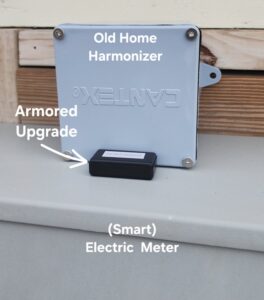
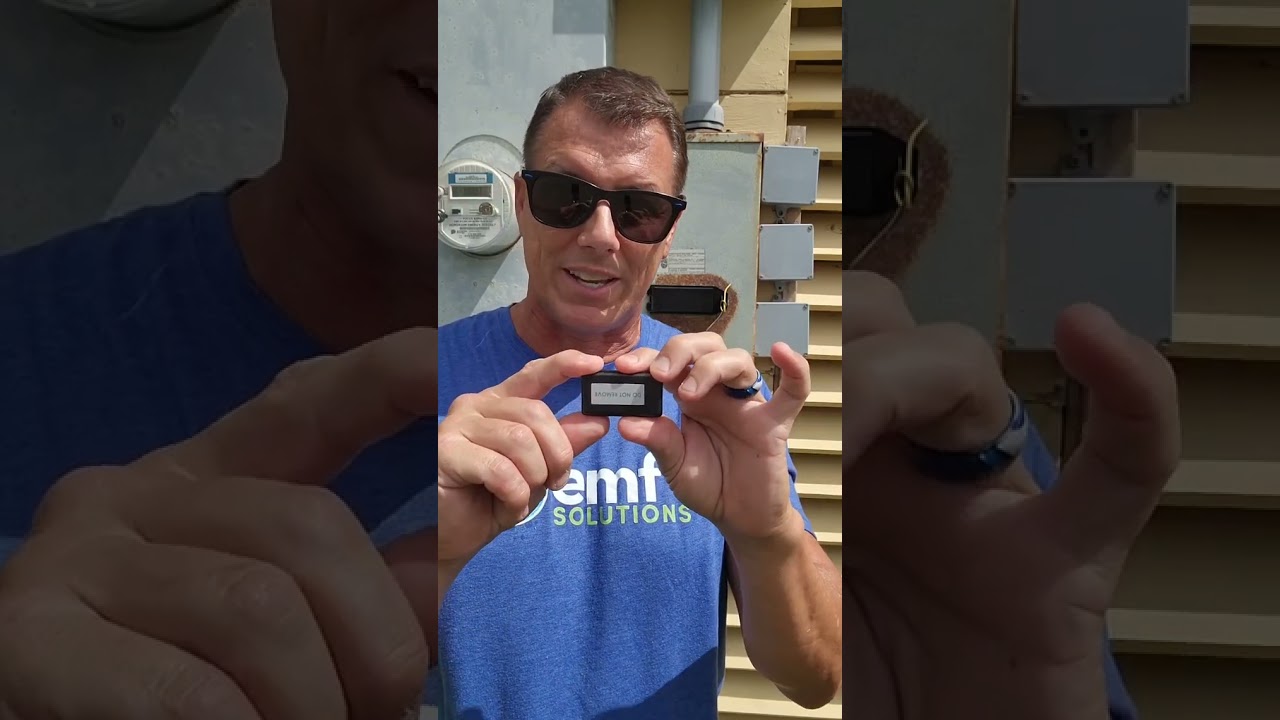
“Do Not Remove” side faces up or away from the Electric Meter or electric pipe. “Armored Upgrade” side should touch the Electric Meter or electric pipe. See picture examples and best scenario below.
All installations work on a home but closer to the ground sometimes remediates more of the land around the home. So preferred installation methods in order:
On top Home Harmonizer or Booster Box On top of your electric meter outside. You can use the double sided sticky tape or any tape you prefer to attach.
On top of your electric meter outside. You can use the double sided sticky tape or any tape you prefer to attach.
On your fuse box taped anywhere on the metal works just as great for the home. Outside on the Electric Meter might remediate a little more of the land).
Better ZZZ’s
Installation instructions
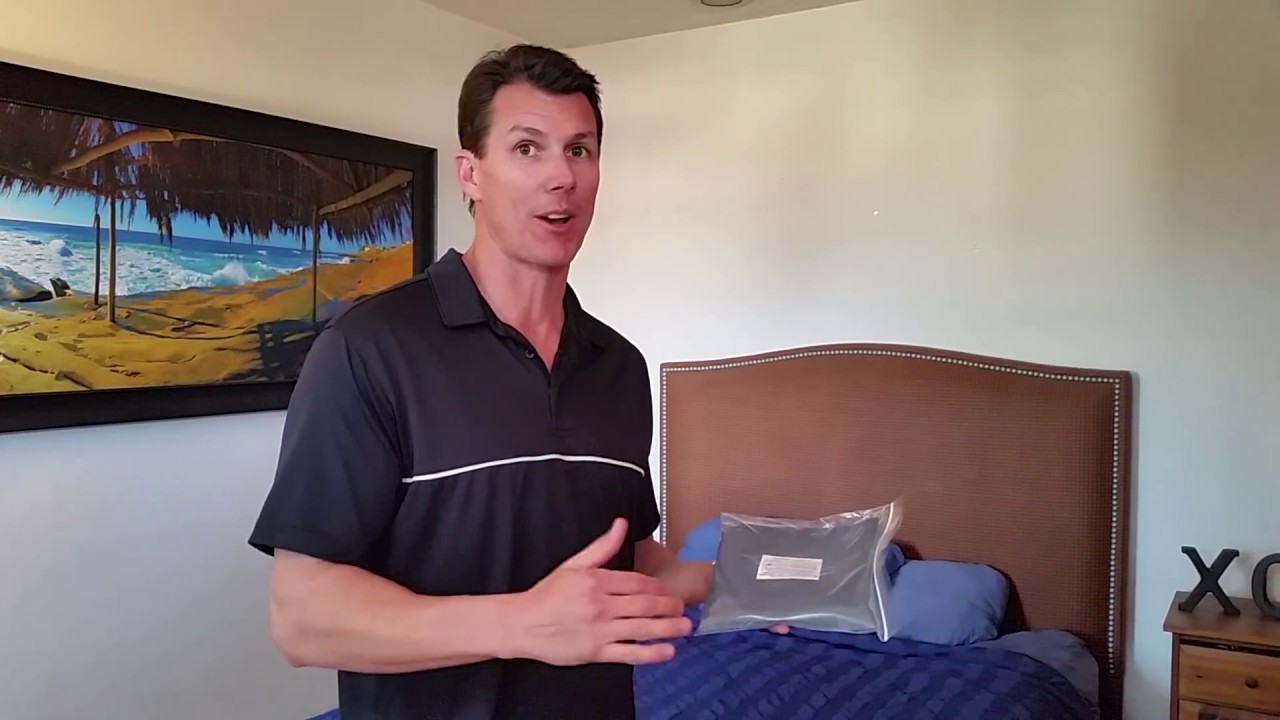
Slip this product underneath of your mattress. We suggest leaving it in the plastic bag for protection, but it works the same with or without the bag. If you have two mattresses (like a top mattress and a box spring) then place it between the two mattresses. If you have an electric bed that plugs in (such as an adjustable bed or even a bed with a Grounding Mat) then DO NOT use the Better ZZZs but rather use a Device Chip on the cord closest to the bed.
This is not meant to be used by itself but rather a support to go along with a Home Harmonizer. If you have a Room Harmonizer close to a bed then the Better ZZZs is not needed.
Car Harmonizer
Installation instructions
Just plug into your car cigarette lighter. If you have an Electric Car you’ll need two of these. And since 2020 the world has gotten much worse in general (we theorize because of 5G Low Orbit Satellites) so we actually suggest most cars either get two Car Harmonizers or on of these plus a Better ZZZs…see below.
If you want more protection than one Car Harmonizer, or if you need two but do not have two cigarette lighters (be sure to look inside glove compartments, mid console, and trunk area) then we suggest you get one Car Harmonizer plus one Better ZZZs. The Better ZZZs should be placed under the mat on the passenger side of the car on top of the bolt which should be connected to the metal frame of the car. You can also call us for an explanation of where to place the Better ZZZs.
Cell Chip Ultra
Installation instructions
Place on back of cell phone ideally UNDER the phone case where it works great and is most secure. But it also works as well on the outside of your case such as next to your camera lense(s) – see product pics at the bottom of this page!
If Chip doesn’t fit under your hard phone case then you can use a SOFT PHONE CASE (such as a rubber or silicone case).
WHAT CASE FITS THE CELL CHIP UNDER IT?
Read all Warnings & Suggestions below. But we’ve found that the SUPCASE Unicorn Beetle Pro Series Case should fit Androids, iPhones, and almost any other make and model cell phone. (But remember iPhone 12 thru 17 & other (so all “MagSafe” phones) should use the “iCell Ultra” product not the “Cell Chip Ultra”.) The Cell Chip Ultra is a tight fit in this SUPCASE but it seems to protect the phone well. Another option for iCell Chips is the Onyx Case by Ringke www.ringkestore.com. You can search on Amazon or online for these and they claim to have every major phone brand and use military grade silicone. They are often only $12.99 and often in stores too.
WARNINGS & SUGGESTIONS:
WARNING: DO NOT USE WITH CORDLESS CHARGERS – unless you put the chip at the top near the camera lenses and AWAY from the middle of the phone. See pics below.
WARNING #2: EMF Chip is FRAGILE. Be gentle and DO NOT BEND. If the Cell Chip is OUTSIDE of the phone case it still works great.
Either side of the Chip may face the phone.
Chip will NOT work if it is between the phone battery & anything metal or magnetic! So:
Do NOT use a magnetic hanging phone system. Instead we suggest using a non-metal system such as a Pop Socket.
Do NOT use a RFID Case (these have a space for credit cards and they block a thief from scanning your CC’s and the problem is that these types of cases have metal or magnets in the case. And remember you should never put our products between things that are either metal or magnetic)
OTHER SUGGESTIONS: We suggest using clear or scotch tape to hold chip in place then putting the case over it. You can also put it OVER the case but could get knocked off easier that way. Also do NOT use a Bluetooth headset which is not able to be remediated. We suggest instead using a wired headset.
Dimension 0.5″ x 1.0″ x 0.17″
Device Chip
Installation instructions
(SEE SHORT VIDEO BELOW)
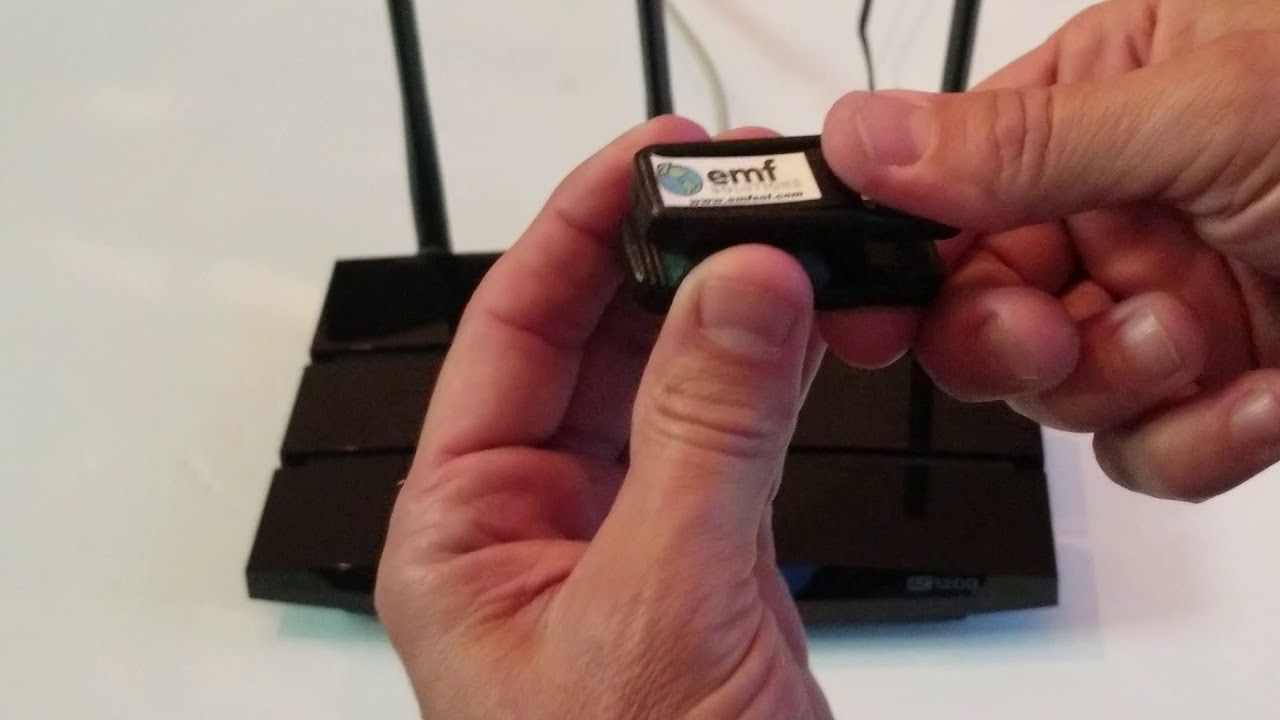
Clip this to the electric cord as close as possible to the device or appliance that you are wanting to remediate. Ideally the square chip should press up against the electric cord. If the cord is too thick you can use electric tape to adhere the chip to the electric cord. If you’re remediating a Wi-Fi router, etc, be sure you clip the electric cord (not a CAT5 or other cord). Devices which need remediation (even after using the Room Harmonizer or Home Harmonizer for general overall remediation) include all stronger microwave producing devices such as Wi-Fi & bluetooth-like devices. See below for the list of EMF DEVICES which need a Device Chip.
EXCEPTIONS THAT NEED 2 or 3 DEVICE CHIPS:
FANS – If you have the Home Harmonizer or the Room Harmonizer in the room then ceiling fans are almost completely taken care of without a chip. And regular fans need only ONE Device Chip. If you do not have a Home or Room Harmonizer then fans need 2 chips AND shoudl be 6 ft or more from the edge of your bed. The chips MUST BOTH BE on the same side of the cord. See product pictures for example. If you have a tower fan instead of the Device Chip you could take a Better ZZZs product and place it under the tower so that the electric cord runs right over the Better ZZZs. Ceiling fans only need 1 chip (when no Home/Room Harmonizers).
WI-FI 7 ROUTERS – These need 3 Device Chips all in a row. Cord MUST be on the same side of all 3!
PC (Personal Computers) – DO NOT USE THE DEVICE CHIP ANYMORE! Instead these now need the Laptop Chips because of Artificial Intelligence. See Laptop Chip product page or Installation Page.
FUTURE A.I. PRODUCTS – As more and more products become infused with Artificial Intelligence these will likely require either a Cell Chip, or Laptop Chips, or a new product. Unfortunately we cannot predict the future but we can respond to it as quickly as possible. So stay in touch with us regularly and it would be smart to get yourself a Certified EMF Specialist to be able to ask questions to over time! To get this just send us a text at 321-321-9939 and ask to be connected to one nearest to you.
HOW TO FIX A CEILING FAN: See above section for how many chips are required. WIthout the harmonizers these type of fans need only one Device Chip since they spin slower than other fans and produce less front-and-back EMFs. Usually you can place the chip by itself on top of the flat metal edge of the fan. You can tape it there. If you can’t do this then unscrew the cup cover and clip one Device Chip onto any one of the wires inside.
Use Device Chips to remediate strongest Wi-Fi, Bluetooth or other EMF-emitting devices, such as:
(In approximate order of importance:)
Wi-Fi Routers
Wi-Fi Extenders (tape chip to front)
Newer Smart TVs (especially ones after 2020 or located in a bedroom)
Wi-Fi printers
Smart Home Devices (such as Alexa or Google Home)
Gaming Stations & Gaming Controllers
Baby Monitors
Beds which “plug in” – such as adjustable beds, beds with a grounding mat, etc. Do NOT use Better ZZZs on these!
Everything Bluetooth or Wi-Fi – (most important devices are ones you touch, are close to, and spend much time using…and the least important are ones opposite of that which you use less often)
Fans, AC Units, Air Purifiers & other Rotating Electric Motor devices – most importantly the ones in or near your bedroom! Please see below for more info. ** NOTE: Fans, AC Units, etc, NOT in your bedroom are lower priority.
Cordless House Phones (main unit only…and phones you use frequently you can tape the chip to the back over the battery)
Other Wi-Fi/Bluetooth Devices, such as: iRobot main station & unit, Cordless Security Systems, Bluetooth Speakers, Bluetooth toys, more
IMPORTANT: Do you need to fix devices when you DO NOT USE the Bluetooth or Wi-Fi functions?
Answer – yes (usually). To explain, some devices shut down or turn off the EMF radiation once the Bluetooth or Wi-Fi functions are specifically “Disabled” from the menu. But many devices, such as newer Smart TVs, still emit EMFs even after you have disabled the Wi-Fi or Bluetooth functions. Some devices also automatically reset back to “Enabled” once the device turns back on. So it is safest to remediate all Bluetooth/Wi-Fi devices unless you are absolutely sure you can disable the EMFs altogether.
OTHER EXAMPLES OF HOW & WHERE TO INSTALL DEVICE CHIPS
EMF Band
Upgraded for fiber
It is most important to wear a Personal Device when not home or when not in an EMF-remediated environment. When you are in a remediated environment (which has a Home or Room Harmonizer, a Device Chip on the Router, etc) you do NOT need to wear any Personal EMF Device. This band is for kids but also can be used by adults whose wrists fit into it. Fits wrists between 4.5 and 7.0 in diameter.
DOES COMBAT ALL EMF SUBATOMIC CHAOS INCLUDING FIBER OPTIC!
This is now is about 85% the strength of an XL Band.
For larger-wristed adults (and even for kids as well) our EMF Band XL is recommended for the absolute best EMF remediation.
EMF Band XL
Upgraded for fiber
The EMF Band XL is recommended for all, especially larger kids and adults, as the absolute best EMF remediation anywhere. No band or Personal Device will ever be 100 percent but the XL Band is closest. (NOTE: The XXL Card from EMF Solutions is nearly identical in strength.)
The XL stands for more STRENGTH (not for larger size people).
The band fits adults down to an infant, but if you want a more “fun” band which is harder to catch on something when they are playing you can search on Amazon, etc, for “Band compatible with Apple Watch Band 38mm” or you can try this Amazon link – https://www.amazon.com/dp/B0CF5G2H4L/ref=twister_B0DCNSSST8?th=1
IMPORTANT NOTE: The product is NOT electronic and does NOT need to be activated or powered on. It works all the time.
IMPORTANT ABOUT FITBITS & OURA RINGS: Do not wear the XL Band while wearing these two products which we also suggest not wearing at all unless you have a medical reason to do so. There seems to be a strange reaction with these and the XL Band in some cases.
Fits wrists between 4.0 and almost 9.0 inches in diameter.
(To adjust the “Alternative Band”, sold separately, please see the video on that product page.)
Home Harmonizer
Upgraded for fiber
INSTALL RULE #1 – The Home Harmonizer should be placed in a spot where the electricity comes into your home, such as: next to or on top of your Electric (Smart) Meter outside, on the pipe nearest to your Electric Meter outside, or as a last resort by the Fuse box inside of the home. See short videos for best examples.
INSTALL RULE #2 – DO NOT sandwich the product between two electric or metal things for maximum effectiveness. For example, don’t place the Home Harmonizer Box (HH Box) on the electric pipe coming off of your Electric Meter in a spot where there’s another electric or metal pipe within 8 inches on the opposite side of the HH Box. See Diagrams below:
QUANTITY: HH Box for most houses…add a Booster Box for EMF-Challenged homes such as homes with Solar Panels, within ½ block from a Cell Tower, or about 50 feet from an Electric Transformer Barrel or Extra Large High-Voltage Powerlines.
YOU MAY HAVE AN ADJUSTMENT PERIOD – PLEASE READ: About 20 percent of those who remediate their home and their EMF emitting devices (cell phones, laptops, etc) experience a short adjustment period for a few days or so. Those with current health issues such as auto-immune issues are often the most likely to have this. Although this is a super positive sign of good things it can feel “icky”. To avoid this adjustment you can simply remediate your environment very slowly by installing or using one product at a time then introducing one more product every few days or so as you feel good. Most people do NOT need to do this, but those who are older, weaker, or sick may want to use this option.
Write with a permanent marker “Belongs to owner”&/or “Unit # XYZ” &/or your Phone # on the outside of the HH Box. That way if the Electric Company comes out and doesn’t know what it is they don’t throw it away by accident.
iCell Chip Ultra
Installation instructions
Necessary for iPhone models 12 thru 17 & ALL other “MagSafe” iPhones)
iPhones prior to model 12 can also use the iCell Ultra but technically could also use the Cell Chip Ultra as well
The regular “Cell Chip Ultra” (another product) is for all other kinds of cell phones (other than iPhones)
3M Sticky Tape Included is only for Option 2 below
Place on back of cell phone ideally UNDER the phone case where it works great and is most secure. But it also works as well on the outside of your case such as next to your camera lense(s) – see product pics at the bottom of this page!
If Chip doesn’t fit under your hard phone case then you can use a SOFT PHONE CASE (such as a rubber or silicone case).
WHAT CASE FITS THE CELL CHIP UNDER IT?
Read all Warnings & Suggestions below. But we’ve found that the SUPCASE Unicorn Beetle Pro Series Case should fit Androids, iPhones, and almost any other make and model cell phone. (But remember iPhone 12 thru 17 & other (so all “MagSafe” phones) should use the “iCell Ultra” product not the “Cell Chip Ultra”.) The Cell Chip Ultra is a tight fit in this SUPCASE but it seems to protect the phone well. Another option for iCell Chips is the Onyx Case by Ringke www.ringkestore.com. You can search on Amazon or online for these and they claim to have every major phone brand and use military grade silicone. They are often only $12.99 and often in stores too.
WARNINGS & SUGGESTIONS:
WARNING: DO NOT USE WITH CORDLESS CHARGERS – unless you put the chip at the top near the camera lenses and AWAY from the middle of the phone. See pics below.
WARNING #2: EMF Chip is FRAGILE. Be gentle and DO NOT BEND. If the Cell Chip is OUTSIDE of the phone case it still works great.
Either side of the Chip may face the phone.
Chip will NOT work if it is between the phone battery & anything metal or magnetic! So:
Do NOT use a magnetic hanging phone system. Instead we suggest using a non-metal system such as a Pop Socket.
Do NOT use a RFID Case (these have a space for credit cards and they block a thief from scanning your CC’s and the problem is that these types of cases have metal or magnets in the case. And remember you should never put our products between things that are either metal or magnetic)
OTHER SUGGESTIONS: We suggest using clear or scotch tape to hold chip in place then putting the case over it. You can also put it OVER the case but could get knocked off easier that way. Also do NOT use a Bluetooth headset which is not able to be remediated. We suggest instead using a wired headset.
Dimension 0.5″ x 1.0″ x 0.17″
Laptop Chip Ultra
Installation instructions
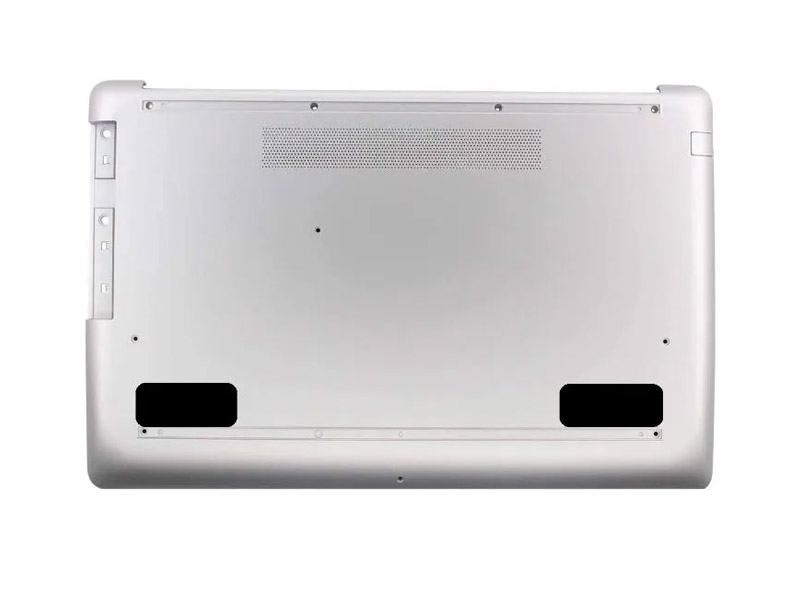
Use tape to adhere the two chips under the front corners of your laptop, like in the picture. Please use your own tape and read why here. If the bottom of your laptop or tablet is smooth we suggest using packing tape. If the bottom is rough with a texture we suggest using duct tape or gaffer tape (packing tape “could” come off depending on how rough you are with your laptop or tablet. We do not suggest using masking tape, scotch tape, or electric tape which are likely not as strong.
We stopped including double-sided sticky tape so that it will be much easier to remove the Chips from one laptop and put on another. (The double-sided 3M tape was so strong it made many chips break when trying to remove them. Therefore, we now suggest choosing your own tape.)
TABLETS – the ideal placement is to put one of the Laptop Chip Ultras in the corner near the camera lens & the other on a different corner of the tablet. See illustration below – Chip Placement is in RED.
PERSONAL COMPUTERS – Since the introduction of A.I. all PCs should now use the Laptop Chip Ultras and NOT the Device Chip anymore. Just stack the two Laptop Chip Ultras on top of each other then use any type of tape to attach the chips to the electric cord as close to the PC as possible.
Personal Card Ultra
Installation instructions
Most convenient Personal EMF Protection Device for men or people who wear pockets or carry a wallet daily.
Please read these INSTRUCTIONS BEFORE using…
UNLIKE THE OLD PERSONAL CARDS (Regular, XL, & XXL) THESE NEW “ULTRA” CARDS ARE DIFFERENT & BETTER BECAUSE:
THEY CAN TOUCH METAL OBJECTS such as keys, coins, a cell phone, etc. It might work BETTER in a pocket without metal things in it but it is not as necessary as the old versions prior to this “Ultra” model.
EITHER SIDE CAN FACE THE BODY BUT IT IS SLIGHTLY STRONGER when the sticker side is faces away from the body! Some sick or sensitive folks who want to start wearing the card reversed, or sticker facing the body (the “weaker” way to wear it), at first to avoid some of the possible effects in the initial adjustment period. Then later once they get used to having EMFs addressed so well as our products do, those more sensitive people can switch it to the strongest way = sticker facing away from the body.
OTHER ADVICE:
DO NOT BEND TOO MUCH, PUNCTURE IT, WASH IT OR GET IT WET. If it does go through the Washing Machine it will still work but it could come apart in one to ten washes.
This is the strongest personal product we offer even slightly stronger than the XL Band which is slightly stronger than the Regular Band. But ALL OF THESE PRODUCTS ARE WAY ABOVE ANYTHING ELSE ON THE MARKET BY AN ENORMOUS AMOUNT (at least when these instructions were written!)
FOR KIDS:
KIDS MAY LOSE THIS TOO EASILY SO WE RECOMMEND THE REGULAR BAND INSTEAD
Another Precaution: If you puncture product just tape it to keep crushed earth materials inside product. This will keep it working effectively.
ONE-YEAR WARRANTY: If for any reason the Personal Card Ultra rips or breaks we will replace it one time free of charge for the first year. (DETAILS: For replacement product you pay shipping only. Also you must mail back the broken product to EMF Solutions first before replacement is sent. Proof of purchase from EMF Solutions or other is required… OR you can email us at [email protected] to request a replacement.)
Room Harmonizer
Upgraded for fiber
NEW PRODUCT. STRONGER THAN EVER BEFORE and by a significant amount. Depending on how bad EMF’s are, this could fully remediate one room, half of a small home, or even more. Two to three plugs can often cover an entire condo or apartment unless there are extra challenges such as having: cell towers on the roof, numerous neighbors with unremediated EMF’s, Smart (Electric) Meters close by, etc. The Room Harmonizer takes care of EMF’s from the entire Non-Ionic Radiation frequency range such as from electricity, Wi-Fi, cell towers, 4G, and 5G. (Ionic = X-Rays & higher frequencies). BUT WE STILL RECOMMEND you use additional products to remediate these following devices separately: cell phone, laptop or tablet, automobile, Routers, fans & other electrical rotating-motor devices in the bedroom, and all high frequency producing devices listed under “Device Chip” instructions.
IMPORTANT INSTRUCTIONS:
PRONGS are very fragile and when traveling you should keep the Room Harmonizer in its original box to protect them from breaking off.
Works best plugged directly into the wall or a 3 to 2 prong adapter (see pic below). Best NOT to use on a power strip or extension cord. It works this way but might lose a bunch of its power.
THIS PRODUCT IS USUALLY NOT NEEDED if you already have a Home Harmonizer. Times you would want both a Home and Room Harmonizer would be when your room has an extra EMF challenge such as an unremediated Smart (Electric) Meter or large outdoor AC Unit right outside of your bedroom window.
Use 3 to 2 prong adapters for travel (hotels) or when necessary. See last picture below.
Do not put anything metal or electrical in front of the Room Harmonizer when it is plugged in. It is best to plug the Room Harmonizer on the top outlet so the bottom cord can hang down and out of the way (not in front of) the Room Harmonizer. See pictures of product. The “Room Harmonizer” is perfect EMF Remediation for the following locations:
By your Bed – Most important place for this!
Hotel Rooms! – So important here. We recommend using a 3 to 2 prong adapter for Room Harmonizers used for travel – see below.
By your computer & WIFI equipment – where there are lots of EMF’s present.
Places in the home & office where you spend a lot of time.
Near electronic equipment or any strong EMF emitting devices.Generally NOT needed if you have a Home Harmonizer.
IF PRONGS FALL OUT OF YOUR OUTLET = EZ Solution
We have made the prongs as large as possible but occasionally there are outlets which have wider gaps and the Room Harmonizer has a hard time staying in. Here’s an easy solution. Just plug it into any 3 to 2 prong adapter (see picture below) or other adapter first, then plug the adapter into the wall. That usually solves the problem because if your adapter falls out of the wall you can usually bend the metal prongs so that they don’t.
Using the adapter is a smart to use for travel Room Harmonizers since you never know what the hotel’s outlets might be like.
Cookie Consent
We use cookies to improve your experience on our site. By using our site, you consent to cookies.
Cookie Preferences
Manage your cookie preferences below:
Essential cookies enable basic functions and are necessary for the proper function of the website.
Name
Description
Duration
Geolocation Config
This cookie is used to store the consent settings based on the visitor's location.
30 days
Cookie Preferences
This cookie is used to store the user's cookie consent preferences.
30 days
CloudFlare provides web performance and security solutions, enhancing site speed and protecting against threats.
These cookies are for internal use which allows Cloudflare to identify production issues on clients.
session
cf_ob_info
The cf_ob_info cookie provides information on: The HTTP Status Code returned by the origin web server. The Ray ID of the original failed request. The data center serving the traffic
session
__cfseq
Sequence rules uses cookies to track the order of requests a user has made and the time between requests and makes them available via Cloudflare Rules. This allows you to write rules that match valid or invalid sequences. The specific cookies used to validate sequences are called sequence cookies.
session
cf_clearance
Whether a CAPTCHA or Javascript challenge has been solved.
session
_cfuvid
The _cfuvid cookie is only set when a site uses this option in a Rate Limiting Rule, and is only used to allow the Cloudflare WAF to distinguish individual users who share the same IP address.
session
__cflb
When enabling session affinity with Cloudflare Load Balancer, Cloudflare sets a __cflb cookie with a unique value on the first response to the requesting client. Cloudflare routes future requests to the same origin, optimizing network resource usage. In the event of a failover, Cloudflare sets a new __cflb cookie to direct future requests to the failover pool.
session
__cf_bm
Cloudflare's bot products identify and mitigate automated traffic to protect your site from bad bots. Cloudflare places the __cf_bm cookie on End User devices that access Customer sites that are protected by Bot Management or Bot Fight Mode. The __cf_bm cookie is necessary for the proper functioning of these bot solutions.
session
__cfruid
Used by the content network, Cloudflare, to identify trusted web traffic.
session
cf_chl_rc_ni
These cookies are for internal use which allows Cloudflare to identify production issues on clients.
session
cf_chl_rc_i
These cookies are for internal use which allows Cloudflare to identify production issues on clients.
session
__cfwaitingroom
The __cfwaitingroom cookie is only used to track visitors that access a waiting room enabled host and path combination for a zone. Visitors using a browser that does not accept cookies cannot visit the host and path combination while the waiting room is active.
session
cf_use_ob
The cf_use_ob cookie informs Cloudflare to fetch the requested resource from the Always Online cache on the designated port. Applicable values are: 0, 80, and 443. The cf_ob_info and cf_use_ob cookies are persistent cookies that expire after 30 seconds.
session
These cookies are needed for adding comments on this website.
Name
Description
Duration
comment_author_url
Used to track the user across multiple sessions.
Session
comment_author_email
Used to track the user across multiple sessions.
Session
comment_author
Used to track the user across multiple sessions.
Session
Marketing cookies are used to follow visitors to websites. The intention is to show ads that are relevant and engaging to the individual user.
A video-sharing platform for users to upload, view, and share videos across various genres and topics.
Registers a unique ID on mobile devices to enable tracking based on geographical GPS location.
1 day
VISITOR_INFO1_LIVE
Tries to estimate the users' bandwidth on pages with integrated YouTube videos. Also used for marketing
179 days
PREF
This cookie stores your preferences and other information, in particular preferred language, how many search results you wish to be shown on your page, and whether or not you wish to have Google’s SafeSearch filter turned on.
10 years from set/ update
YSC
Registers a unique ID to keep statistics of what videos from YouTube the user has seen.
Session
DEVICE_INFO
Used to detect if the visitor has accepted the marketing category in the cookie banner. This cookie is necessary for GDPR-compliance of the website.
179 days
LOGIN_INFO
This cookie is used to play YouTube videos embedded on the website.